Guide: Bluesky
WAFRN is a federated social media platform that connects to the Fediverse and the ATmosphere. This means WAFRN users don't need to choose between networks - you can have both, right now. This guide is designed to help you navigate the ATprotocol side of your WAFRN account, and adjust it to your liking.
This guide was last updated on April 7th, 2026, corresponding with desktop web build v2026.03.04-DEV.
Default State
When you first create a WAFRN account, ATproto integration is turned off by default. If you want it, you choose to enable it, and you choose when to enable it.
In this state, you can still see ATproto posts through rewoots and search, but you cannot follow any users or interact with any posts. You could quote an ATproto post, but the quote would not go to Bluesky, since you do not have a presence on Bluesky, so you're really just linking a post.
Enabling Bluesky
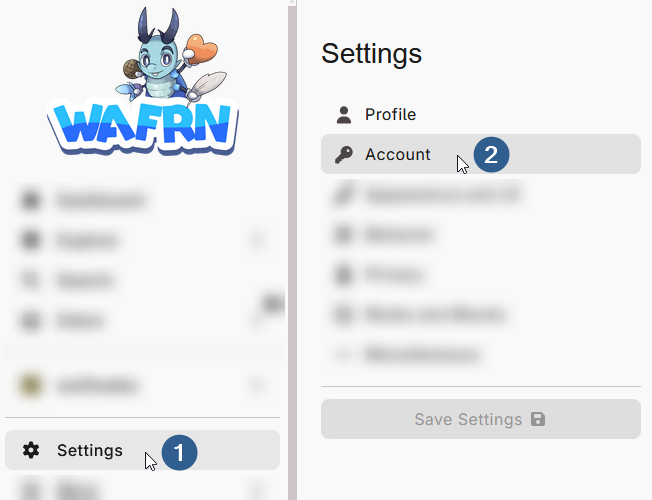
To turn on ATproto integration, click "Settings" in the sidebar, then click the "Account" submenu.
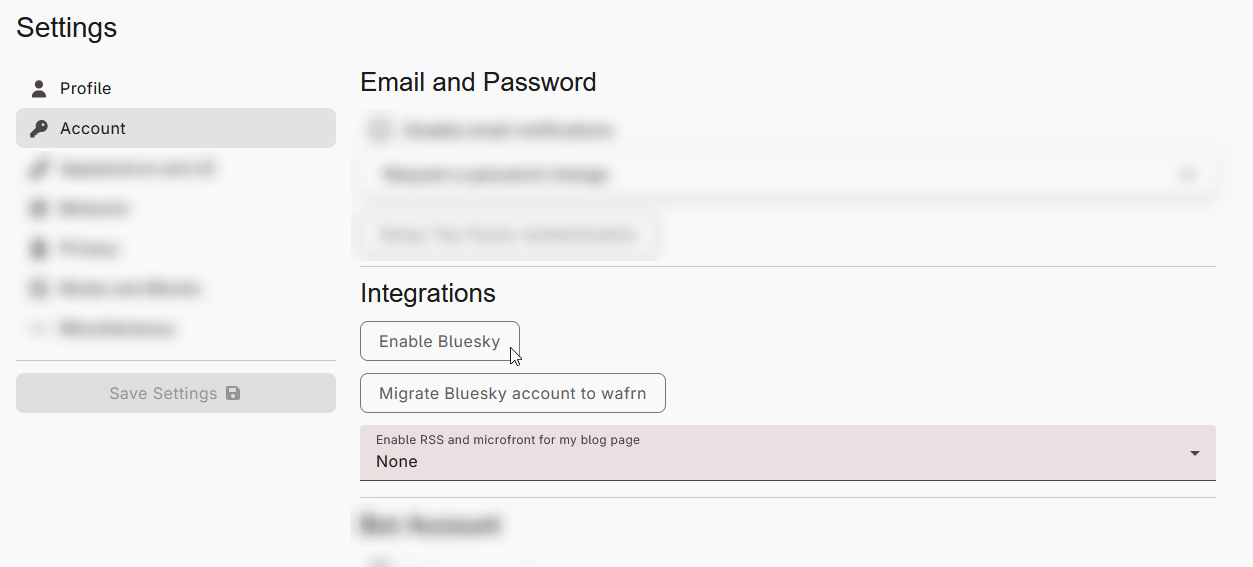
The second section, "Integrations," includes a button that says "Enable Bluesky".
The next page is a confirmation dialogue, including important information about what ATproto integration means for you. Your account is not integrated until you enter your current WAFRN password and click "Enable Bluesky" at the bottom of the page.
If you want to read more about what ATproto integration means for you, you can read the text of the page here: https://app.wafrn.net/profile/enable-bluesky
Following this link will not automatically enable Bluesky. You can open and close the page at any time without changing your account in any way.
Profiles on Bluesky
Bluesky has a character limit in profiles, so if you exceed that character limit, your profile will have a link to view it in full on WAFRN.
Your profile photo and banner image will go to Bluesky, and will update when you update them on WAFRN.
Posting to Bluesky
Only posts with the "Public" privacy setting go to Bluesky. All other post privacy settings - Unlisted, "This instance only", Followers only, and Direct Message - stay on federated platforms only.
Photos and videos will go to Bluesky, but Bluesky doesn't support normal .GIF files. WAFRN will automatically convert .GIF files into a short video for Bluesky.
Here are the file formats Bluesky supports:
- JPEG
- PNG
- WEBP
- MP4
- MPEG
- WEBM
- MOV
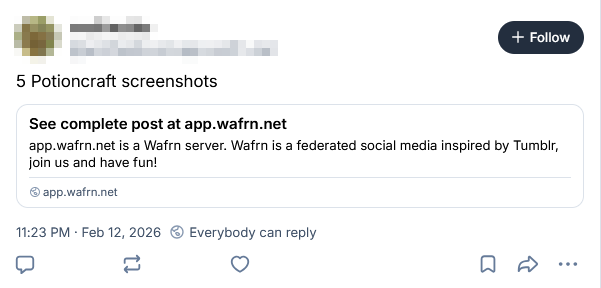
If you upload more than 4 images to a single post, all the embeds will be replaced by a link to view the post on WAFRN.
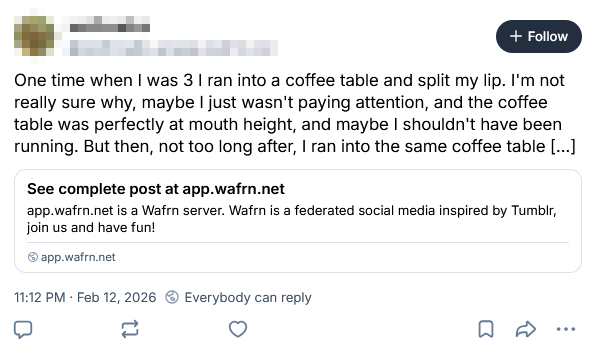
If you write more than 300 characters of text in a single post, the first part of the text will be posted to Bluesky, but it will be cut off slightly before the end of the 300 characters and replaced with a link to view the post on WAFRN.
Images are capped at 2000x2000px, and a maximum file size of 1MB. Images over 1MB are converted to a .JPG, and the quality is gradually decreased by 10% until the image is below 1MB.
All of these things only impact the Bluesky view of your post. The post will remain intact on the Fedi side, and can be viewed on your WAFRN profile in full.
Interacting on Bluesky
Once your account has Bluesky integration, you can interact with ATproto users in the same way you would Fedi users. To find specific people or posts, use WAFRN's Search. You can follow, like, rewoot, reply, quote to your heart's content.
However, Bluesky users cannot see WAFRN reactions, and unless they're using a special client like RedDwarf, they will not be able to see bite notifications. For more information about these functions, see the Interactions guide.
Bluesky posts visible to "Logged in users only", on ATproto, will be shown in full on your feeds on WAFRN. If you want to make your profile restricted to users who are logged in, you can enable this options in Settings > Privacy > Profile Privacy, by checking "Hide profile to users who are not logged in". Please note that this profile privacy setting is limited, and some ATproto clients will show your profile anyway.
Please be aware that ATproto users cannot see Fedi posts, and Fedi users cannot see ATproto posts, unless they are quoted, or the viewer is bridged. As a WAFRN user with Bluesky enabled, your posts can be seen by both networks, but the posts you rewoot from non-WAFRN servers will be exclusive to their respective network under default conditions. Some Fedi users, and some ATproto users, may use Bridgy Fed, which allows users from each protocol to interact with users on the other.
Finally, if you have "Manually accept follows" turned on, this setting only applies to followers from Fedi. Because Bluesky has no equivalent feature, Bluesky followers bypass the approval process. If someone follows you who should not follow you, you can block them.
Bridged posts
WAFRN condenses bridged posts into a single post that you can interact with on both protocols. WAFRN users do not need to bridge if their account is already Bluesky-enabled.
WAFRN users will see bridged Fedi and ATproto users on their original platforms most of the time, as WAFRN tries to combine bridged users' profiles and posts. Under certain circumstances, you may catch a glimpse of a bridged handle, but it should not prevent you from interacting normally.
Logging in on Bluesky
There are some cases where you may want to log in to Bluesky directly, for whatever reason. WAFRN gives you full control over the Bluesky arm of your account.
Go to your ATproto frontend of choice and log in. Your "hosting provider", or "server," will vary based on your home WAFRN server. Some WAFRNs try to mirror the style of a Fedi username, so your ATproto might be username.at.server.domain. If you aren't sure, check your home server's documentation, or ask your admin.
You can also use one of the ATProto clients that automatically detect your home server. https://witchsky.app/ will do this for you.
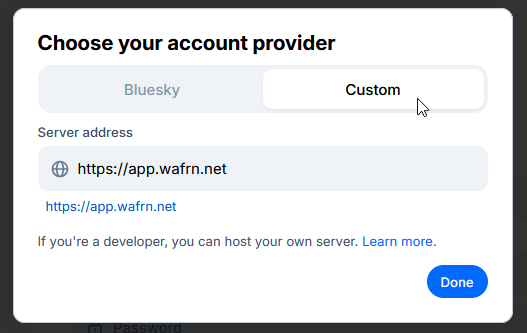
If you don't know your Bluesky username, your full handle should be listed on your WAFRN profile. You can enter that in the "username" box, and apps like WitchSky will figure out the hosting provider for you.
Then enter your WAFRN password. If you changed your WAFRN password since you enabled Bluesky, you'll have to try to remember your old WAFRN password. If you don't remember, use the "Forgot Password" functions to change it.
What if I change my mind later?
Bluesky has different ways of handling account deletions and deactivations, but because your WAFRN account's Bluesky arm is linked to your WAFRN account, and because WAFRN is wacky and still a work-in-progress, there are ways to do this, but they're kind of weird.
The simplest, most accessible answer is "contact your WAFRN administrator." Your admin can send a takedown request to Bluesky. The takedown request can also be undone in the future, if you were to decide to reactivate it for some reason, and the account will still "exist" in some capacity.
But if you don't want to do that, and if you're okay with completely destroying the account - wiping it off the face of the internet, and every trace of its existence - you can use the "Migrate" option to get Bluesky to completely delete your account.
To do this, go to "Settings", then "Account," then the "Integrations" section. Below "Enable Bluesky" there is a second button, called "Migrate Bluesky account to WAFRN".
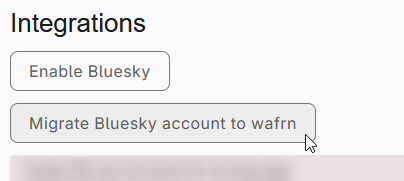
This page also contains really important info about the account migration process, but since this guide is only addressing a full deletion, the information here will be skimmed over. For more on this, you can view the page itself, or you can view the Account Migration guide.
To delete your Bluesky account, you will press the "Delete Bsky associated account and get invite code".
That's it! Now it's deleted. If you don't want the invite code, it's no longer important.
Because WAFRN still has all your posts, even the ones that went to Bluesky, the posts will still be around, but you won't have any of your Bluesky followers/followees and you won't be able to interact with Bluesky posts anymore.
What if I already have a Bluesky account?
You have a couple options. You could decide to just start using the WAFRN-Bluesky account. You could even maintain both accounts separately, if you wanted.
You could also decide it's better to keep those accounts 100% separate, and just keep your Bluesky account, and keep WAFRN Fedi-only.
But, if you want to port over your Bluesky account to your WAFRN account, you will need to go through the migration process. For more on this, please see the Account Migration guide.
Please note that if you migrate in an existing Bluesky account, it will destroy the WAFRN-generated Bluesky account. If you think you might migrate later, you might want to wait to enable Bluesky.
What if I want my ATproto handle to be something special?
That's fine! All you have to do is log in on Bluesky and change it in your settings, just like you would change it normally. The change will be reflected on your WAFRN profile when it's complete.
After logging in on Bluesky, go to "Settings" > "Account" > "Handle", then, if applicable, click "I have my own domain". Follow the prompts, then save your work.